Made by ADK Interactive

Anvil

Code review built for the fold.

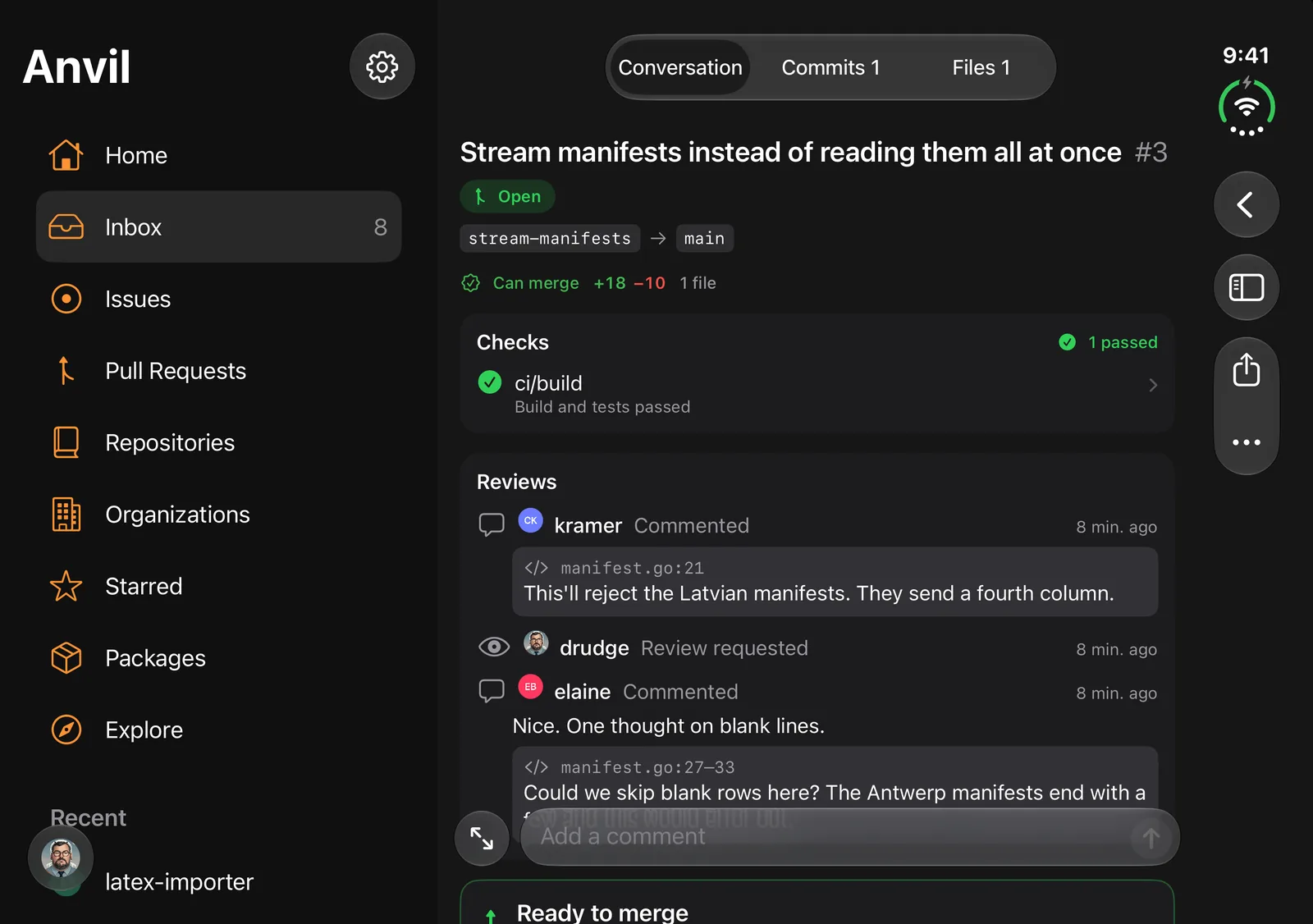
A pull request in Anvil with checks, reviews and the sidebar

A fast, native client for Forgejo and Gitea. It talks straight to your own server, so your code and conversations never pass through anyone else's.

Inbox

Everything waiting on you.

Your issues, pull requests and review requests from every repo, in one list.
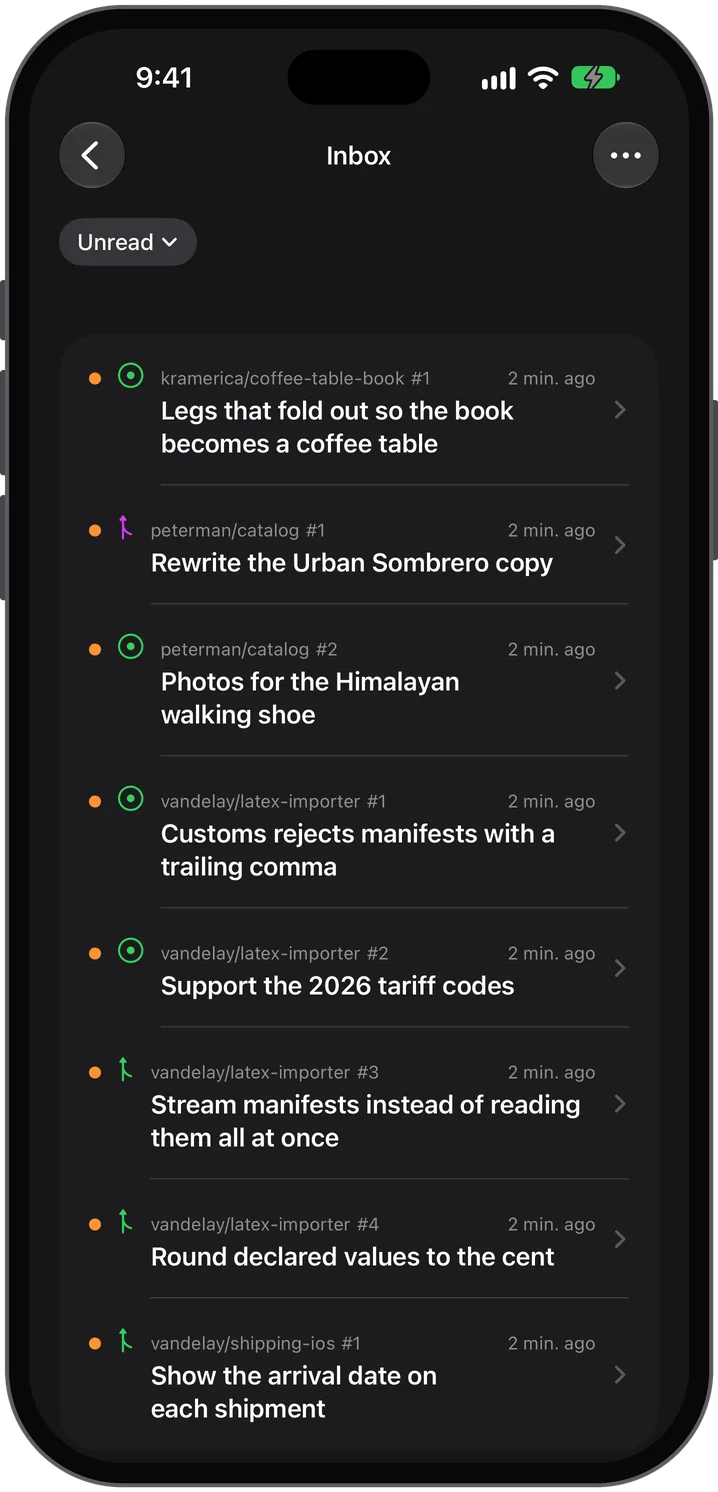
  • Group, pin and mute
  • Alerts when you're away
  • Several accounts and servers
The Anvil inbox on iPhone
Pull requests

Review, approve, merge.

CI status right in the list. Merge with any style your repo allows, or merge when checks pass.
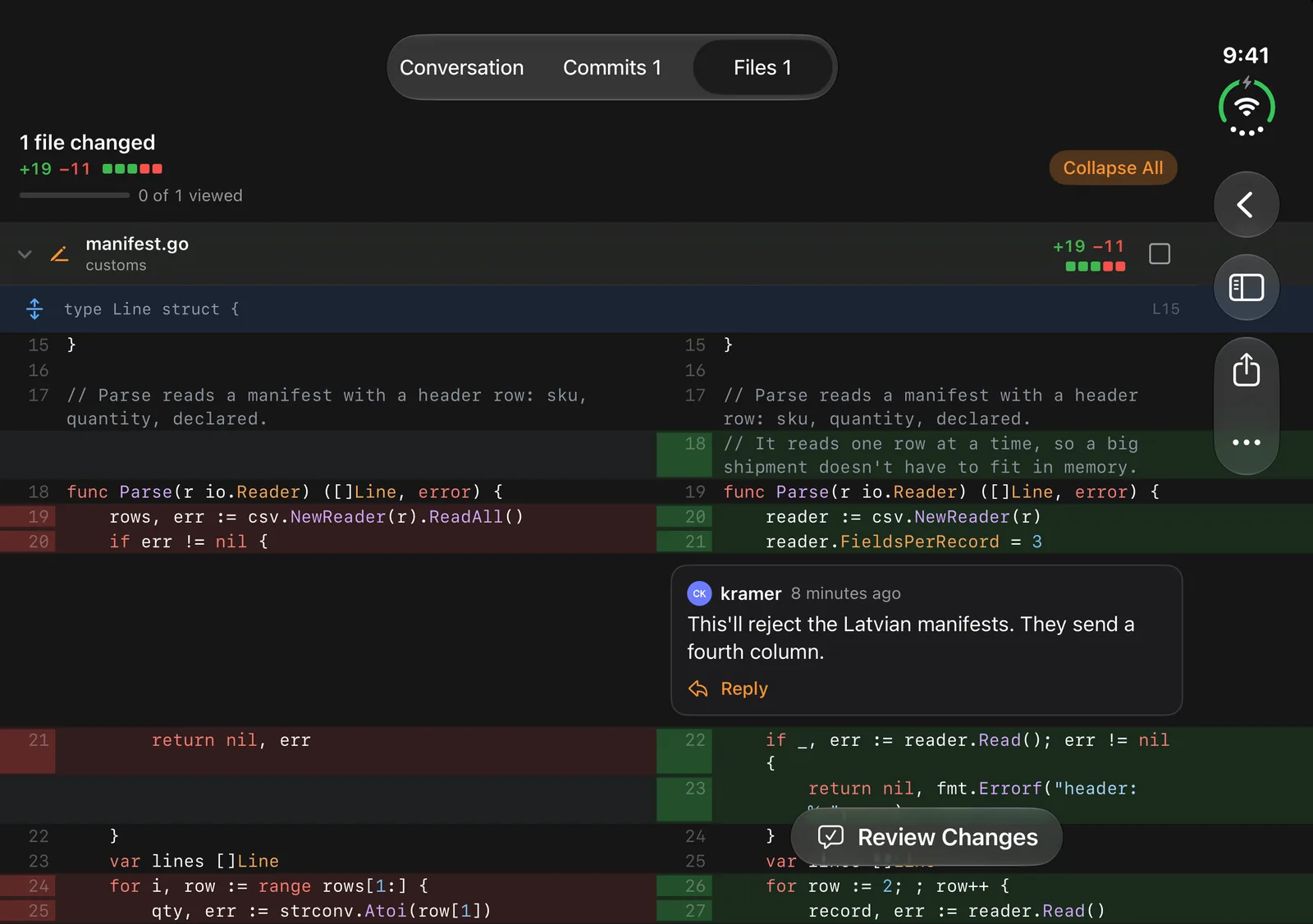
  • Comment on a line or a range
  • Send it all as one review
  • Step through every waiting review
A side-by-side diff with a review comment
Issues

Write it once. Lose nothing.

Markdown with images, @mentions, #references and emoji. Drafts save as you type.
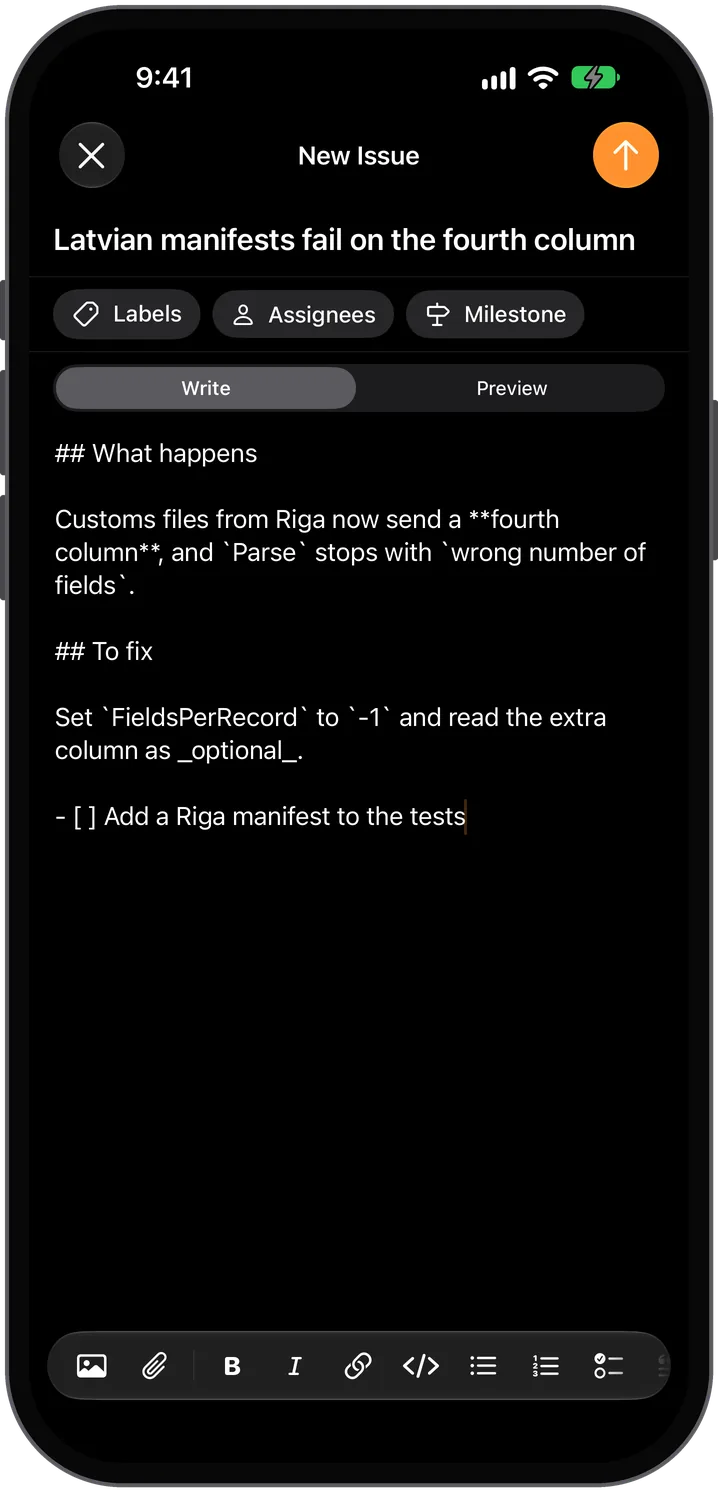
  • Labels, milestones and assignees
  • Issue templates
  • Live preview beside the editor
Writing an issue in Markdown on iPhone
Projects

Move work across the board.

Your project boards, with cards you can drag between columns or drop exactly where they belong.
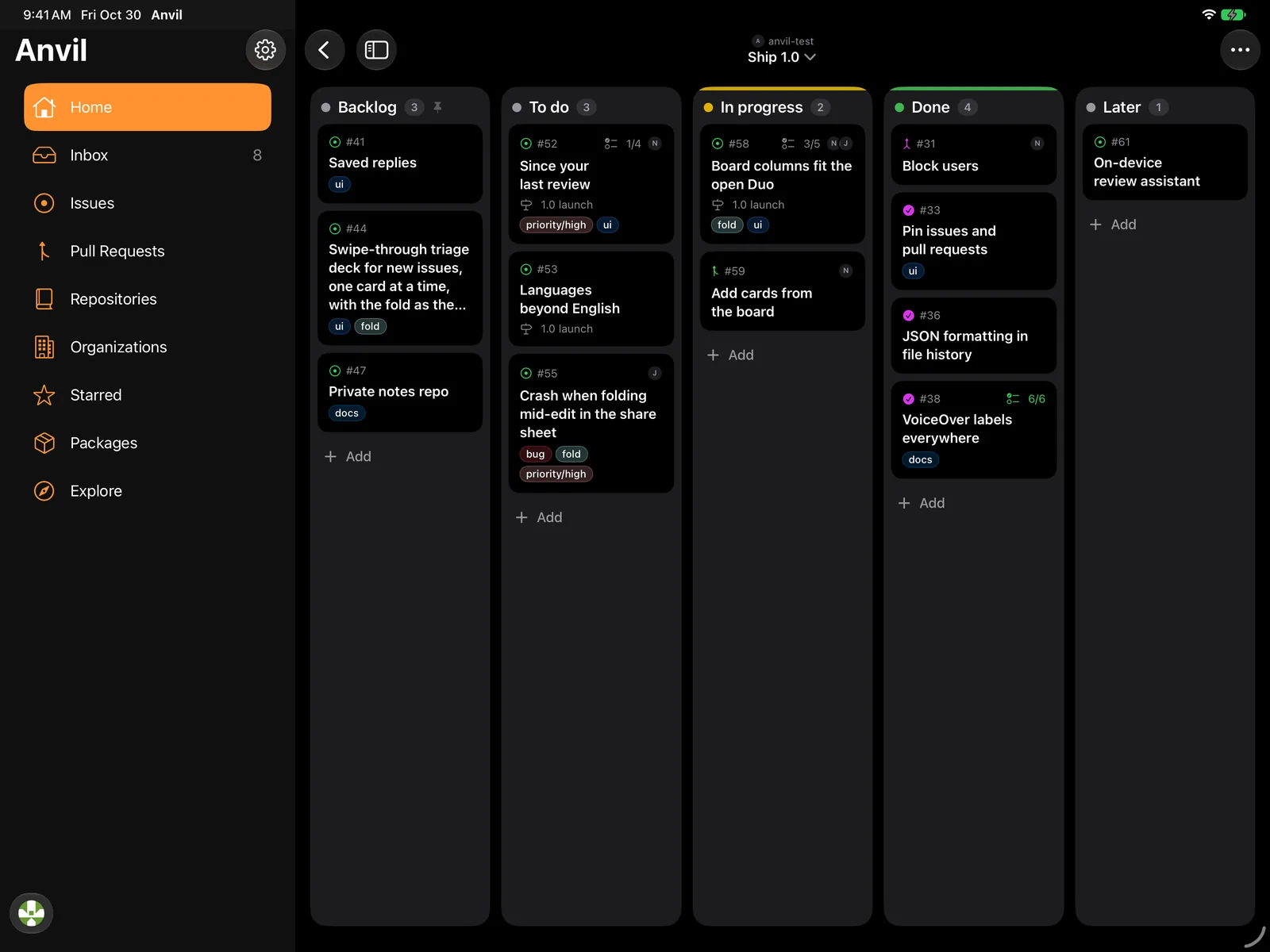
  • Add issues straight to a column
  • Reorder cards in place
  • Rename and rearrange columns
A project board on iPad with cards in five columns
Explore

Find your way around.

Browse repositories on any server you sign in to, or look around Codeberg as a guest.
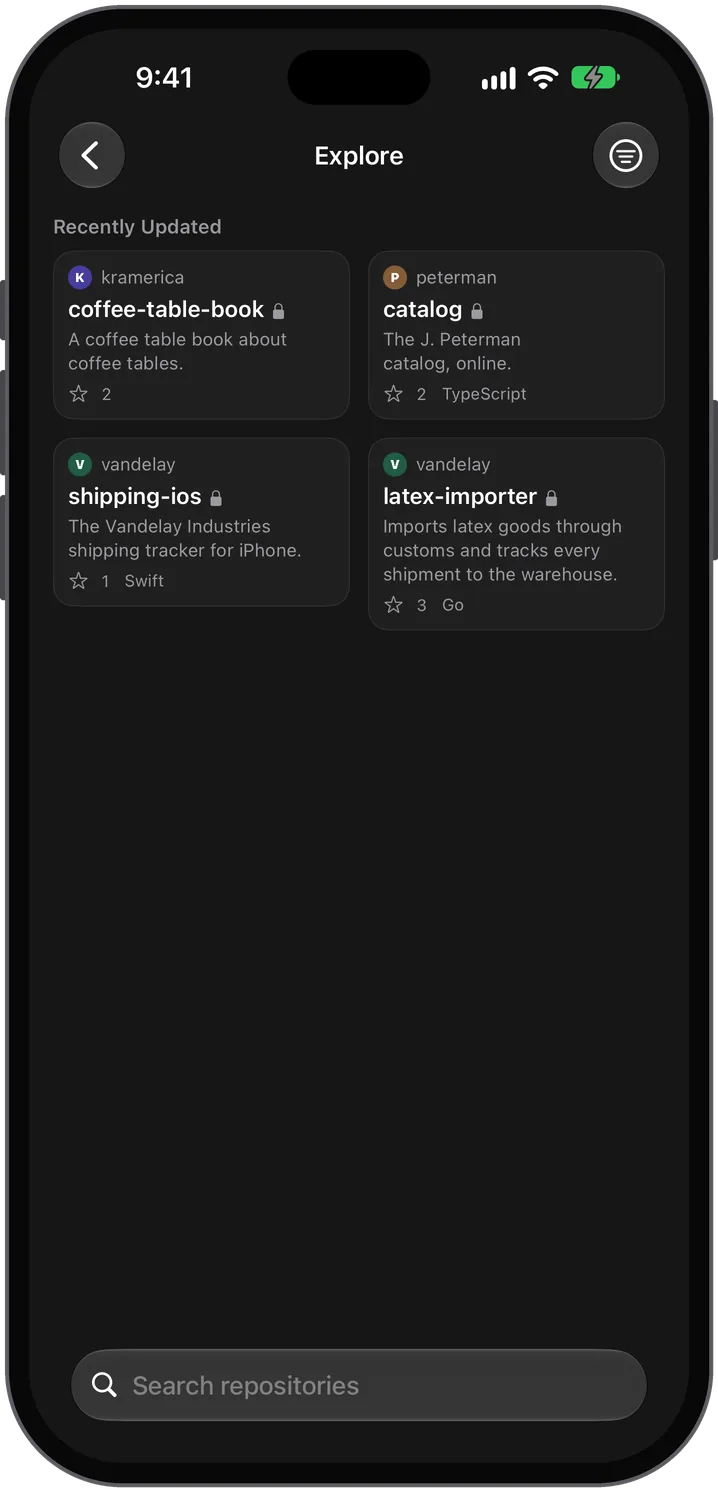
  • Repositories, users and organizations
  • Search across the server
  • Guest browsing on Codeberg
Explore on iPhone, listing repositories
iPhone Duo

The crease is a real edge.

Open your iPhone Duo and Anvil puts the old code on one page and the new code on the other.
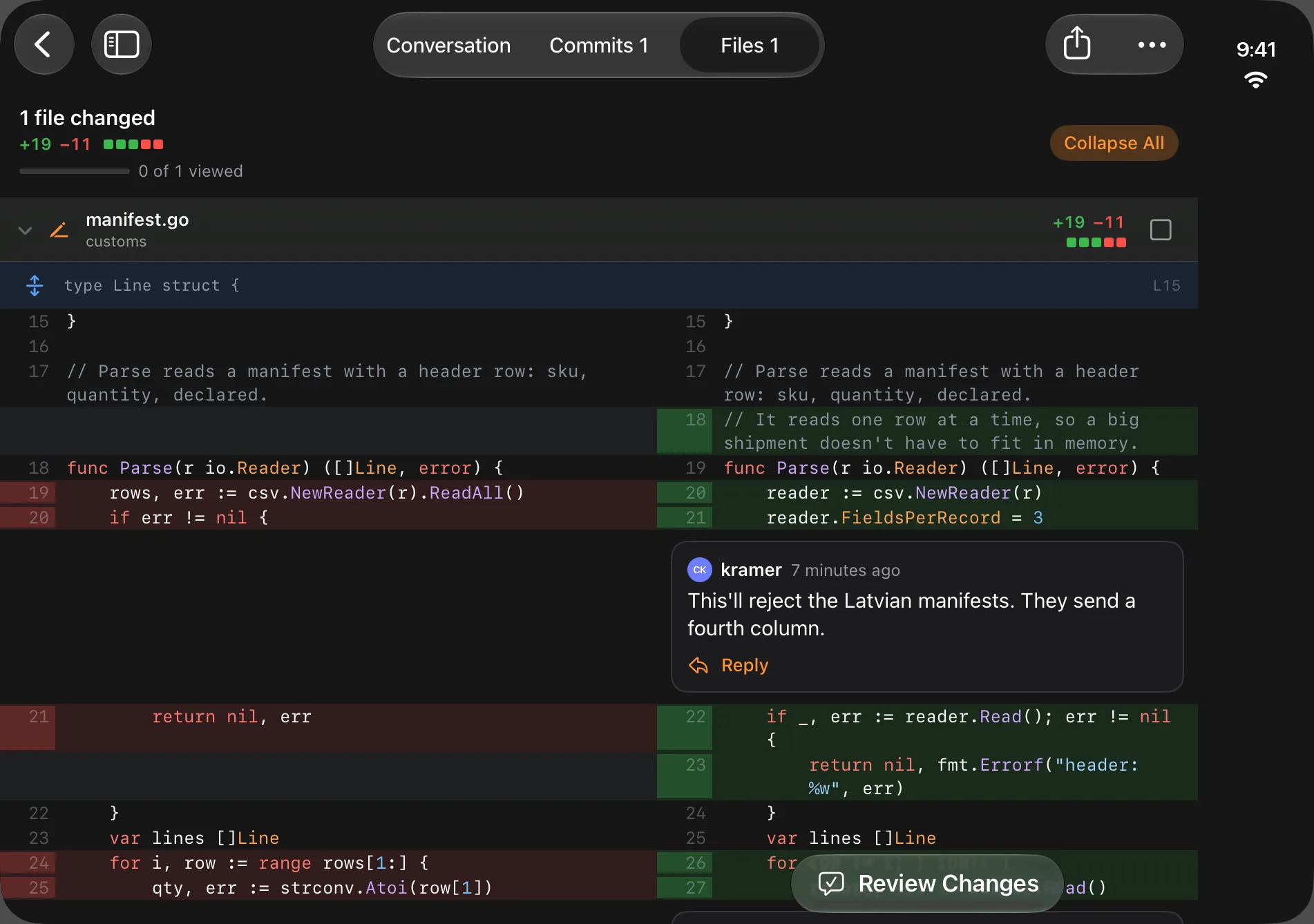
Old and new code split across the fold of the iPhone Duo
OldNew

Diffs

Before on the left, after on the right, lined up at the hinge.

Editor

Write on one page and watch the preview on the other.

Closed

A phone app that remembers exactly where you were.

iPad

Two windows, side by side.

Open a second Anvil window to keep one pull request next to another, or an issue next to the fix.
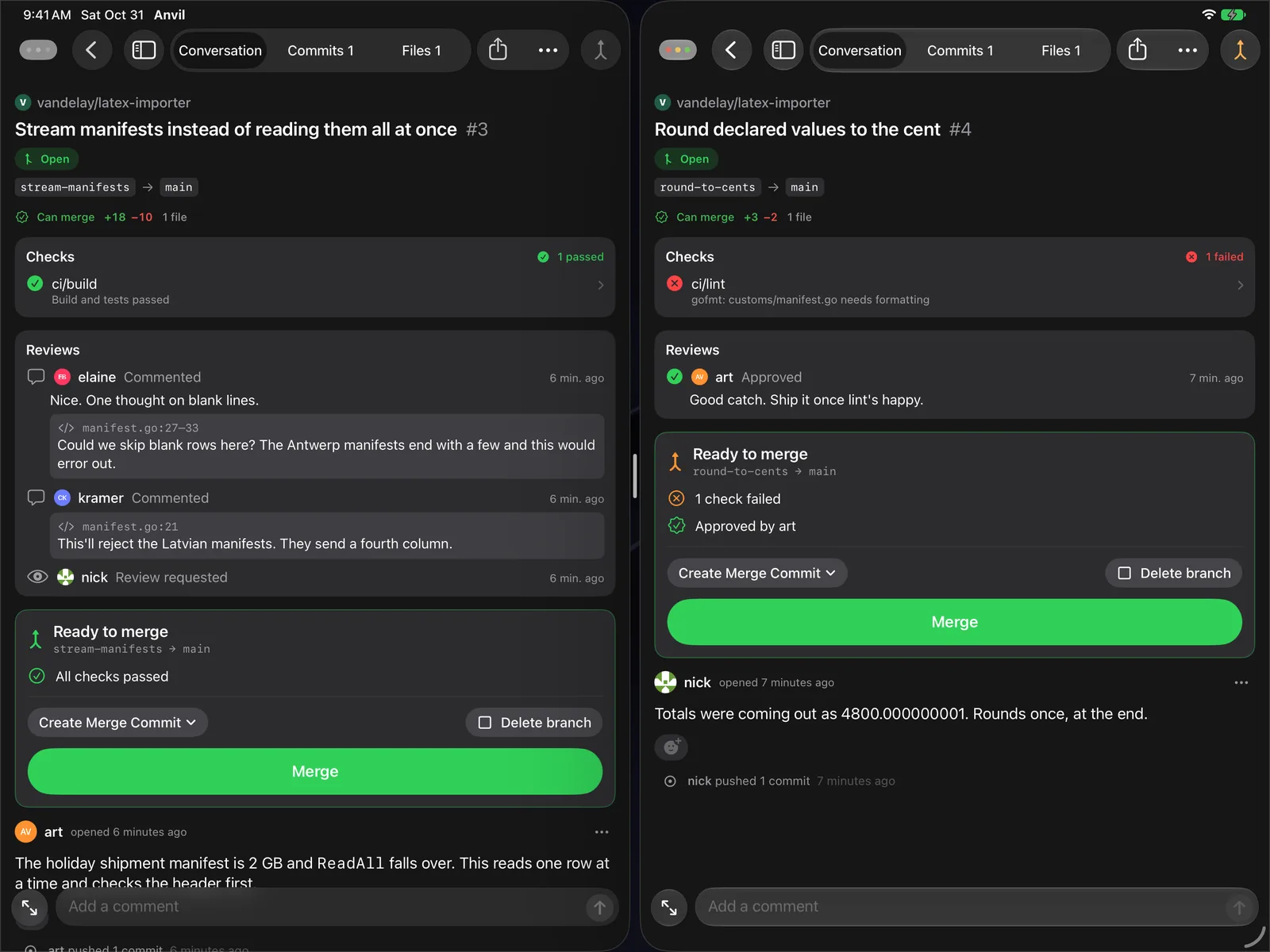
Two Anvil windows side by side on iPad, each showing a pull request

Your whole forge.

Not just pull requests.

Actions

  • Runs, jobs and live logs
  • Re-run, cancel or dispatch
  • Live Activity on the Lock Screen

Code

  • Any branch or tag
  • History and Find a File
  • Edit and commit

Projects

  • Releases and wiki
  • Packages
  • Organizations and teams

iOS

  • Widgets and Shortcuts
  • Siri, Spotlight and Handoff
  • Quick actions

Security

  • Face ID lock
  • Self-signed certificates
  • SSH and GPG keys

Your way

  • Light, dark and true black
  • Nine accent colors
  • Adjustable code size

Private by design.

No Anvil account, no analytics, no tracking. The app talks only to the servers you sign in to, and your token stays in the Keychain.

Data Not CollectedThe developer does not collect any data from this app.

Questions

Which servers does Anvil work with?

Forgejo and Gitea, including Codeberg and servers you host yourself.

Do I need an account?

You sign in with an access token from your server's settings. You can also browse public repos on Codeberg as a guest.

Do I need an iPhone Duo?

No. Anvil works on any iPhone and on iPad. The Duo just gets the split layouts across the fold.

My server uses a self-signed certificate. Will it work?

Yes. Anvil lets you trust a self-signed certificate for your own server.

Where do I get help?

Email support@anvilforgejo.app or visit the support page.

Anvil is almost here.

Coming soon to the App Store for iPhone and iPad.

Get notified at launch

or email support@anvilforgejo.app